April 25, 2026
What Is Technical SEO and Why Does It Matter for Business Websites?
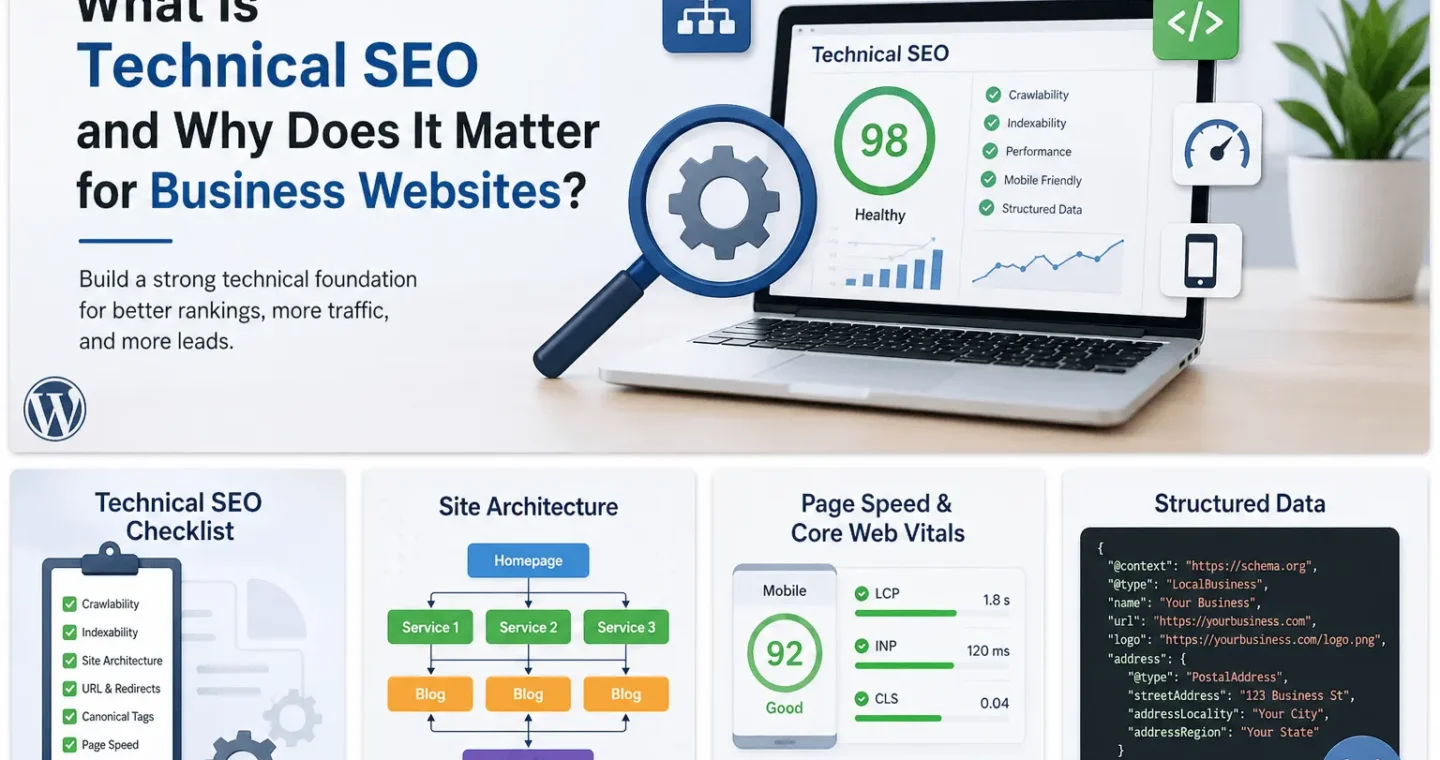
Technical SEO is the work that helps search engines crawl, render, understand, and index a website correctly. It is not the same as writing blog posts, building backlinks, or adding keywords to a page. It deals with the structure behind the content: URLs, redirects, canonicals, sitemaps, robots rules, page speed, mobile usability, JavaScript rendering, structured data, and internal linking.
For business websites, technical SEO matters because good content can still fail if search engines cannot access it properly. Recent discussions in SEO communities show a clear pattern. Site owners are struggling with pages not getting indexed for weeks, Google choosing the wrong canonical URL, internal links pointing to parameter-based versions, and JavaScript frameworks creating metadata confusion. These are not theoretical issues. They directly affect visibility, leads, and organic revenue.
The Problem This Article Solves
Many marketers and business managers think SEO starts after the content is published. Many developers think SEO is only about meta titles and keywords. Both views are incomplete.
The real issue is that modern websites are often built with themes, plugins, JavaScript frameworks, tracking scripts, page builders, filters, redirects, and CMS templates. Each of these can create website SEO issues if not handled correctly.
This article explains what technical SEO is, why it matters, and how businesses can use a practical technical SEO checklist to find and fix the issues that usually block search performance.
What Is Technical SEO?
Technical SEO is the process of improving the technical foundation of a website so search engines can discover, crawl, render, index, and rank its pages more effectively. Google explains SEO as the process of helping search engines understand your content and helping users decide whether to visit your site through search results.
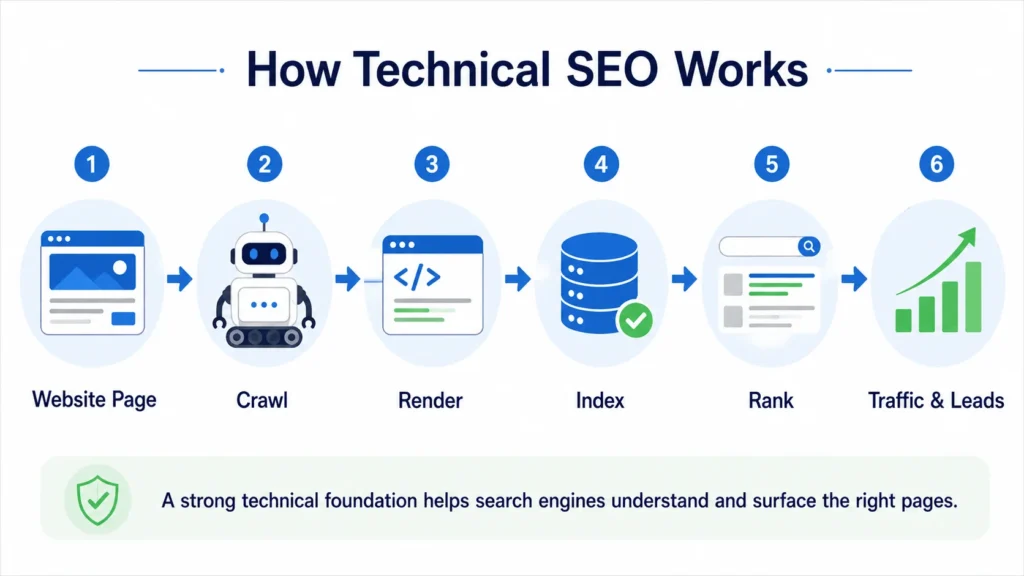
A technically healthy website usually has:
- Clean URL structure
- Crawlable pages
- Correct indexability settings
- Accurate canonical tags
- Working XML sitemaps
- Proper robots.txt rules
- Fast loading pages
- Mobile-friendly layouts
- Structured data where relevant
- Clear internal linking
- Correct status codes
- Accessible CSS, JavaScript, and image resources
Google’s own guidance says that understanding the crawl, index, and serving pipeline is important because it helps site owners debug problems and anticipate how Google may behave on their site. Google also recommends using sitemaps to tell it which pages are important, while noting that sitemaps help Google prioritize crawling rather than guarantee indexing.
In plain terms, technical SEO answers one question:
Can search engines access the right version of the right page, understand it correctly, and serve it confidently in search results?
Why Technical SEO Matters for Business Websites
A business website is not just an online brochure. It is often the first place where a buyer checks credibility, compares services, studies proof, and decides whether to submit a lead form.
If the technical foundation is weak, the site may face problems such as:
- Important service pages not getting indexed
- Blog posts are being discovered, but not ranking
- Duplicate URLs competing against each other
- Slow pages are losing users before they convert
- Wrong pages appearing in search results
- Paid landing pages are loading poorly on mobile
- Search Console showing confusing indexing errors
- Developers and marketers disagree on what caused the issue
That is why technical SEO is not only an SEO task. It sits between marketing, development, UX, analytics, and business growth.
The Real Issues Businesses Are Facing Right Now
Recent community discussions show that the biggest technical SEO problems are usually not exotic. They are common issues that become expensive because they are not caught early.
1. Pages are crawled but not indexed
One recurring problem is that site owners publish pages, fix obvious technical issues, submit URLs in Search Console, and still see pages not indexed for weeks. Google Search Central Community threads from early 2026 include cases where users reported indexing problems lasting multiple weeks or months, even after making several technical fixes.
This matters because businesses often assume publishing equals visibility. It does not. A page can be live, crawlable, and submitted in a sitemap, but still not indexed if Google does not consider it useful, unique, trustworthy, or worth crawling frequently.
How to resolve it:
- Check whether the page is indexable
- Inspect the URL in Google Search Console
- Confirm the canonical URL selected by Google
- Improve internal links pointing to the page
- Avoid thin or duplicate content
- Add the page to the XML sitemap
- Make sure the page is not blocked by robots.txt
- Improve content quality and uniqueness
- Build internal authority from relevant service or blog pages
2. Google chooses the wrong canonical URL
Canonical issues are one of the most common technical SEO problems. In simple terms, a canonical URL is the version of a page that Google treats as the main version among duplicate or similar URLs. Google explains that canonicalization is the process of selecting the representative URL from a set of duplicate pages.
In SEO communities, people regularly report cases where Google picks a different canonical than the one they intended. A Reddit TechSEO discussion showed the difficulty of dealing with parameterized URLs and internal links that point users or bots toward non-canonical versions instead of the preferred page.
This can happen with:
- Filter URLs
- Sort URLs
- Tracking parameters
- Product variations
- HTTP and HTTPS versions
- www and non-www versions
- Duplicate category pages
- CMS-generated archive pages
- Pagination mistakes
How to resolve it:
- Use self-referencing canonicals on main pages
- Avoid linking internally to parameter URLs unless required
- Redirect duplicate versions where appropriate
- Keep sitemap URLs clean and canonical
- Make sure canonical tags are inside the page head
- Avoid sending mixed signals through canonicals, redirects, hreflang, and internal links
A canonical tag is not a command. It is a strong signal. If your internal links, sitemap, redirects, and canonical tags point in different directions, Google may choose its own version.
3. JavaScript makes SEO harder to debug
Modern websites often use JavaScript-heavy frameworks. These can work well, but they add complexity. Google has documentation on JavaScript SEO because search engines need to process JavaScript to see content, links, metadata, and structured data in some setups.
A Stack Overflow discussion about Next.js metadata showed a common engineering concern: whether metadata appears in the correct place for crawlers. The discussion also highlighted that metadata handling can differ depending on rendering behavior and bot treatment.
For business sites, this matters when:
- Page titles are injected late
- Canonicals are rendered through JavaScript
- Product or service content loads after user interaction
- Internal links are not available in raw HTML
- Structured data is generated client-side
- Important page content is hidden behind scripts
How to resolve it:
- Check rendered HTML, not only source HTML
- Use Search Console URL Inspection
- Make sure titles, meta descriptions, canonicals, and robots tags are reliable
- Prefer server-side rendering or static generation for key SEO pages
- Avoid relying only on client-side rendering for important content
- Test important templates after development changes
For service pages, blog posts, case studies, and location pages, the safest setup is usually simple: serve the important content and SEO tags clearly in the initial HTML or through a rendering setup that Google can process reliably.
Technical SEO and Core Web Vitals
Technical SEO also includes performance. Google defines Core Web Vitals as real-world user experience metrics for loading performance, interactivity, and visual stability. The current key metrics are Largest Contentful Paint, Interaction to Next Paint, and Cumulative Layout Shift. Google recommends LCP within 2.5 seconds, INP below 200 milliseconds, and CLS below 0.1 for a good user experience.
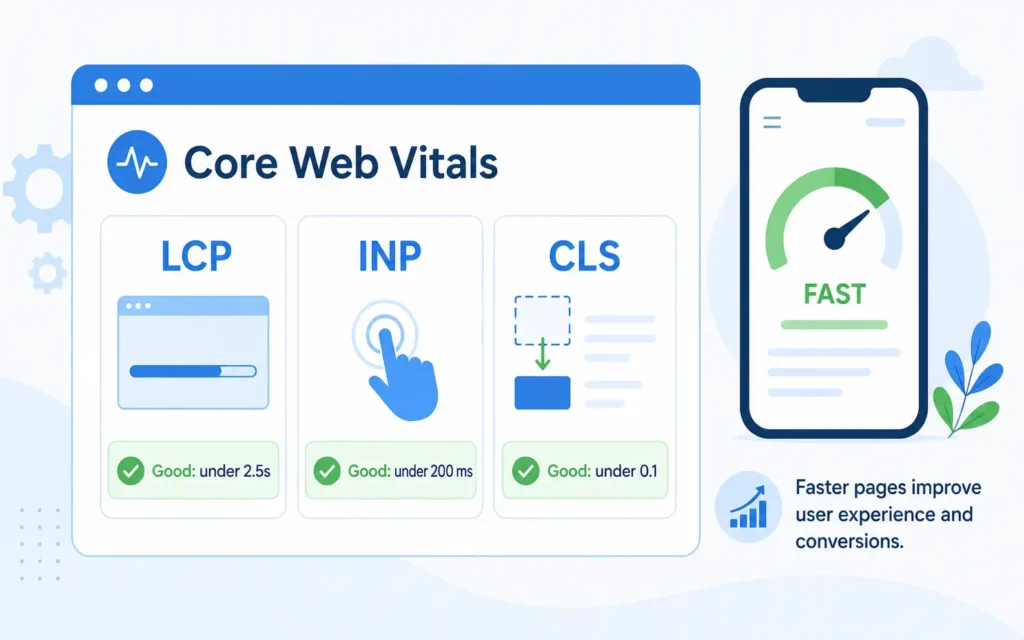
This is not only about ranking. Slow pages affect users before SEO has a chance to work.
The 2025 Web Almanac reported that only 48 percent of mobile websites and 56 percent of desktop websites achieved good Core Web Vitals in 2025. That means performance is still a real competitive gap, especially on mobile.
For business websites, the most common performance problems include:
- Large hero images
- Heavy sliders
- Too many plugins
- Render-blocking CSS
- Unused JavaScript
- Third-party tracking scripts
- Poor mobile layout stability
- Slow server response time
- Unoptimized fonts
- Large page builder output
How to resolve it:
- Compress and resize images
- Use WebP where possible
- Remove unnecessary plugins and scripts
- Lazy load below-the-fold images
- Preload important fonts carefully
- Reduce unused CSS and JavaScript
- Improve hosting and caching
- Avoid layout shifts from banners, images, ads, and dynamic widgets
- Test templates, not only the homepage
For a business website, speed should be tested on the homepage, service pages, blog posts, case studies, and contact pages. The homepage alone does not represent the full user journey.
Technical SEO Checklist for Business Websites
Use this technical SEO checklist before publishing important pages or after major website changes.
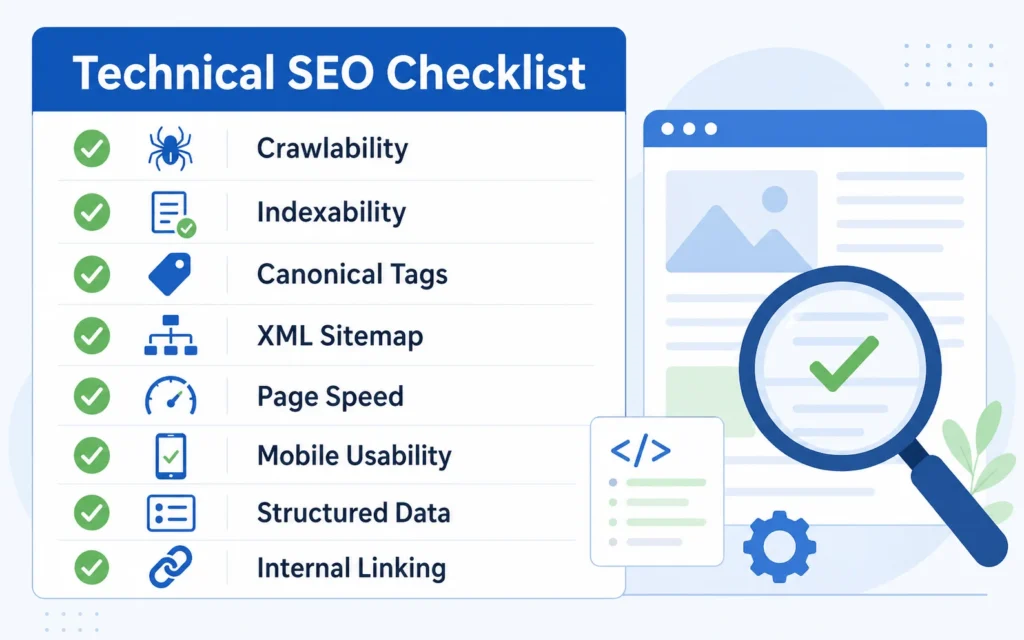
Crawlability
Check whether search engines can access important pages.
Review:
- robots.txt
- XML sitemap
- internal links
- server errors
- blocked CSS and JavaScript
- crawl depth
- orphan pages
A page should not depend only on the sitemap. It should also be linked from relevant pages.
Indexability
Check whether important pages are allowed to appear in search results.
Review:
- meta robots tags
- X-Robots-Tag headers
- canonical tags
- noindex settings
- duplicate page versions
- Google-selected canonical
- Search Console indexing status
Do not use robots.txt to stop a page from appearing in Google results. Google’s documentation says robots.txt is mainly used to manage crawler traffic, while noindex is the proper method when you want to block indexing.
Site Architecture
A clear site structure helps both users and search engines.
Review:
- Homepage to service pages
- Service pages to related blogs
- Blogs to relevant services
- Case studies to service pages
- Breadcrumbs
- Category structure
- URL hierarchy
For example, a blog about technical SEO should link naturally to technical SEO services when discussing audits, crawlability, indexability, and search visibility. If the article discusses website structure, layout, and performance, it should also link to SEO friendly website design.
URL and Redirect Hygiene
Bad redirects create crawl waste and a poor user experience.
Review:
- 301 redirects
- Redirect chains
- Redirect loops
- HTTP to HTTPS
- www vs non-www
- trailing slash consistency
- deleted pages
- changed slugs
- old campaign URLs
When pages move permanently, Google recommends using 301 redirects. For removed pages, the server should return a true 404 status rather than a soft 404.
Canonical Tags
Canonical tags help consolidate duplicate or near-duplicate URLs.
Review:
- Self-referencing canonical tags
- Canonicals on service pages
- Canonicals on blog posts
- Filter and parameter URLs
- Pagination
- Product or service variations
- Sitemap and canonical consistency
The canonical URL in the sitemap should match the canonical tag on the page.
Page Speed and Core Web Vitals
Measure performance using both lab and field data.
Review:
- LCP
- INP
- CLS
- TTFB
- unused JavaScript
- render-blocking resources
- image size
- font loading
- third-party scripts
- mobile experience
Do not optimize only for a score. Optimize the actual loading experience of key templates.
Structured Data
Structured data helps search engines understand page type and content. It does not guarantee rich results, but it can make eligible pages easier for Google to interpret. Google recommends JSON-LD as one supported format and says structured data pages should not be blocked from Googlebot by robots.txt, noindex, or access controls.
For a business website, useful schema types may include:
- Organization
- WebSite
- BreadcrumbList
- Article
- FAQPage
- LocalBusiness, where relevant
- Service, where appropriate
Only mark up visible and accurate content. Do not add fake FAQs, fake reviews, or misleading business information.
How Technical SEO Supports Rankings
Technical SEO does not replace content quality or backlinks. It makes both of them more effective.
A business can publish strong content and build good links, but technical issues can still limit results. For example:
- If the page is not indexed, backlinks cannot help much.
- If the wrong canonical is selected, signals may consolidate to the wrong URL.
- If internal links point to duplicate versions, crawl signals become messy.
- If the mobile page is slow, users may leave before converting.
- If JavaScript hides key content, search engines may not understand the page properly.
- If service pages are buried too deeply, they may not receive enough internal authority.
Technical SEO creates the conditions for content, links, and user experience to work together.
When Should a Business Get a Technical SEO Audit?
A technical SEO audit is useful when:
- Organic traffic drops suddenly
- Important pages are not indexed
- A redesign or migration is planned
- Core Web Vitals are poor
- Search Console shows many excluded pages
- The website has duplicate URL issues
- Developers changed templates or routing
- The site uses heavy JavaScript
- The business added new service pages
- Leads from organic search are not improving
For small business websites, a technical audit does not need to be overly complicated. Start with the pages that matter most: homepage, core service pages, high-value blogs, case studies, and contact page.
For larger websites, audits should also cover crawl patterns, parameter URLs, log files, faceted navigation, pagination, template duplication, and sitewide internal linking.
Technical SEO Is Also a Communication Problem
One reason technical SEO issues stay unresolved is that SEO teams and developers often describe the same problem differently.
An SEO may say:
“Google is indexing the wrong URL.”
A developer may hear:
“The canonical tag is already present, so the issue is fixed.”
But the real issue might be that internal links, sitemap URLs, JavaScript rewrites, and canonicals are sending mixed signals.
The best technical SEO work translates search problems into engineering tasks:
- Which URL is affected?
- What is the current status code?
- Is the page indexable?
- What canonical does the page declare?
- What canonical did Google select?
- Is the URL in the sitemap?
- How many internal links point to it?
- Is the content visible in rendered HTML?
- What user journey does the broken page affect?
- What is the business impact?
This makes the issue easier to prioritize.
Practical Example: A Service Page That Is Not Ranking
Suppose a company publishes a new SEO service page. The content is good, the meta title is optimized, and the page is linked from the navigation. After a month, the page still has no impressions.
A technical review might find:
- The page is not included in the sitemap
- The canonical points to the general services page
- Internal links use inconsistent URL versions
- The page loads slowly on mobile
- The CTA section causes a layout shift
- The page has no contextual links from relevant blogs
- Search Console shows “Discovered, currently not indexed.”
The solution is not to rewrite the content immediately. The first step is to fix the technical signals:
- Add the page to the sitemap
- Correct the canonical tag
- Link to the exact canonical URL internally
- Improve mobile loading
- Add contextual links from related posts
- Request indexing after the fix
- Monitor impressions and crawl status
This is why technical SEO matters. It turns SEO from guesswork into a diagnosis.
Final Thoughts
Technical SEO is not a one-time setup task. It is ongoing maintenance for search visibility. Every new plugin, redesign, tracking script, CMS update, page template, or JavaScript change can affect how search engines access and understand a website.
For business websites, the priority is simple: make important pages crawlable, indexable, fast, internally linked, and technically consistent. Once that foundation is in place, content and backlinks have a better chance of producing real search growth.
A practical technical SEO checklist should be part of every website launch, service page update, blog publishing process, and redesign review. Without it, businesses risk investing in content and marketing while technical issues quietly block performance.
Frequently Asked Questions About Technical SEO
-
Why is my page live but not showing on Google?
A page can be live on your website but still not indexed by Google. This may happen because the page is blocked by noindex, has a weak internal link structure, is too similar to another page, has a canonical pointing elsewhere, or Google does not see enough value in indexing it. Check the URL in Google Search Console, review the canonical, improve the content, and add internal links from relevant pages.
-
How do I know if my website has technical SEO issues?
Start with Google Search Console. Check the Pages report, Core Web Vitals report, sitemap status, and URL Inspection tool. Common signs include indexed pages dropping, important pages marked as “Discovered, currently not indexed,” slow mobile performance, duplicate URLs, redirect errors, and Google choosing a different canonical than the one you set.
-
What is the difference between technical SEO and on-page SEO?
Technical SEO focuses on how search engines access, crawl, render, and index your website. It includes site speed, canonicals, redirects, sitemaps, robots.txt, structured data, and mobile usability. On-page SEO focuses more on the page content, headings, keywords, internal links, title tags, and search intent.
-
Can technical SEO improve rankings?
Yes, but it usually works by removing barriers rather than directly replacing content or backlinks. If important pages are not crawlable, not indexable, slow, duplicated, or poorly linked, they will struggle to perform. Fixing those issues gives your content and links a better chance to rank.
-
How often should a business website run a technical SEO audit?
A small business website should run a basic technical SEO audit at least once every quarter. You should also audit the site after a redesign, CMS update, plugin change, migration, new service page launch, or traffic drop. Larger websites may need monthly checks because technical issues can appear faster across templates and URL patterns.
-
Why is Google choosing a different canonical URL?
Google may ignore your chosen canonical if other signals are stronger. This can happen when internal links point to another version, the sitemap includes a different URL, duplicate pages are too similar, redirects are inconsistent, or parameter URLs are being crawled heavily. Make sure your canonical tag, sitemap, redirects, and internal links all point to the same preferred URL.
-
Does page speed really matter for SEO?
Yes, page speed matters because it affects both user experience and search performance. Slow pages can increase drop-offs, especially on mobile. Core Web Vitals also measure real-world experience, including loading performance, interactivity, and layout stability. For business websites, faster pages can support better engagement and stronger conversion rates.
-
What should I fix first in technical SEO?
Start with the issues that affect important business pages. Check whether your homepage, service pages, blog posts, and contact page are crawlable, indexable, mobile-friendly, and internally linked. Then fix major speed issues, broken redirects, duplicate URLs, missing canonicals, sitemap errors, and structured data problems.
-
Do I need a developer for technical SEO?
Not always. Some fixes, such as updating meta robots, improving internal links, submitting sitemaps, compressing images, and fixing basic page content, can be handled inside a CMS. But issues related to JavaScript rendering, redirect logic, server errors, Core Web Vitals, schema templates, and site architecture usually need developer support.
-
Is technical SEO a one-time task?
No. Technical SEO needs regular maintenance. Every new plugin, theme update, tracking script, content template, page builder change, or redesign can create new SEO issues. Businesses should treat technical SEO as part of website maintenance, not as a one-time setup.